> ## Documentation Index
> Fetch the complete documentation index at: https://brightdata-ipv6-release.mintlify.site/llms.txt
> Use this file to discover all available pages before exploring further.
# 概述
> 探索用于简化数据采集和增强数据集生成的网页抓取工具 API。学习如何启动抓取和管理数据,并了解系统限制信息。
我们非常激动地向您介绍我们的新产品网页抓取工具 [API](https://brightdata.com/products/web-scraper),它可以简化数据采集流程,让您轻松获取更加丰富多元的数据。该款新产品让您可以通过更强大、更简化的方式采集数据,并可根据您的特定需求更有效地生成数据集。
We offer real-time support for scrapers using URLs as inputs, with up to 20 URL inputs, and batch support for more than 20 inputs, regardless of the scraper type.
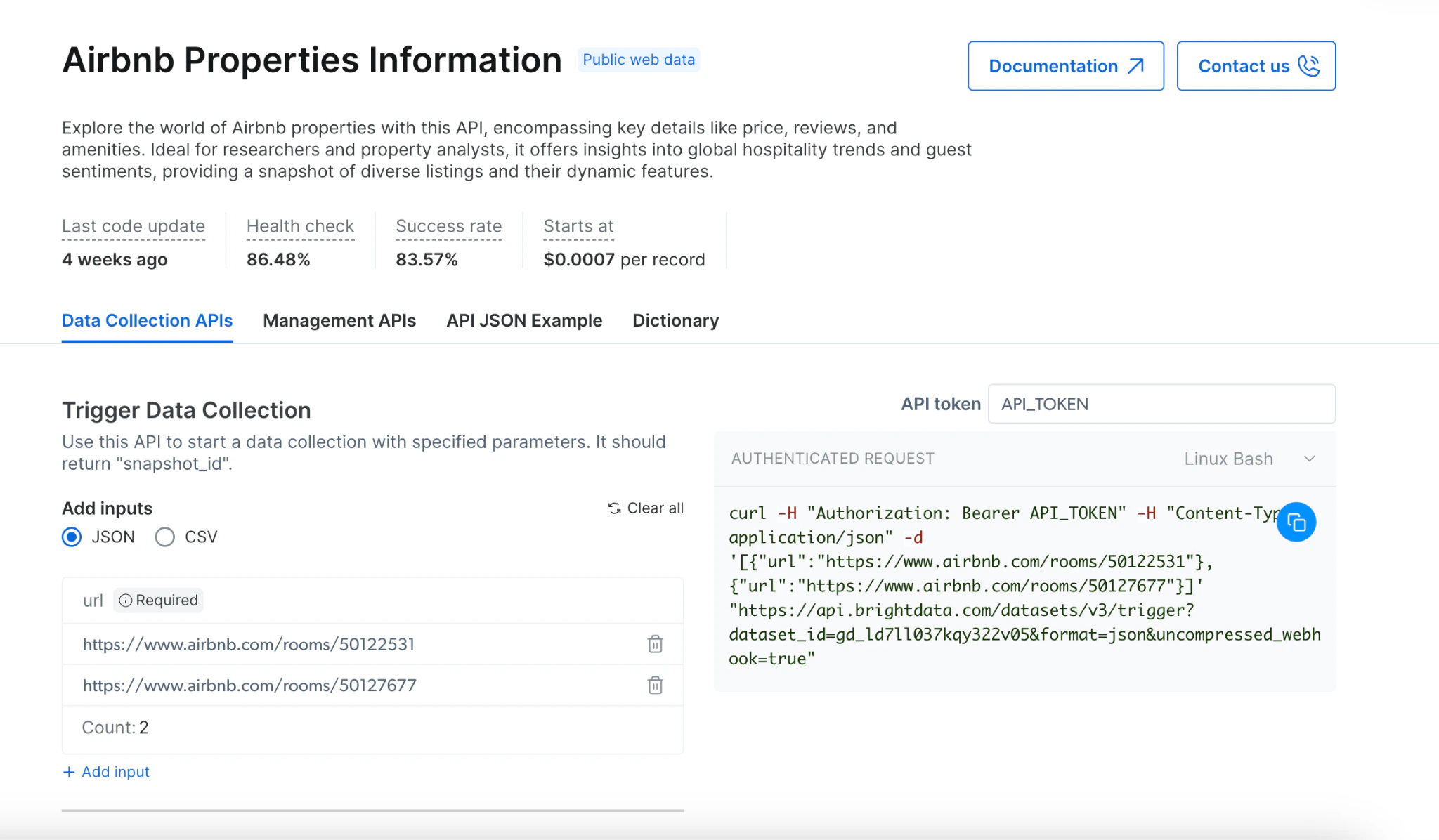 # How To Collect? (High level)
## [触发采集](https://docs.brightdata.com/cn/scraping-automation/web-data-apis/web-scraper-api/trigger-a-collection)
1. 从我们提供的各种 API 中选择目标网站
2. 通过 JSON 或 CSV 更新所需输入列表
3. 选择数据交付方式:通过 Webhook 或通过 API
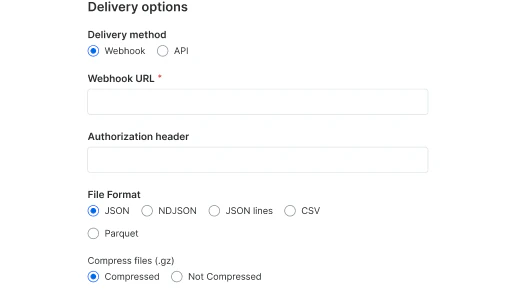
### 通过 Webhook 交付:
1. 选择首选文件格式(JSON、NDJSON、JSON lines、CSV)
2. 根据需要设置 Webhook URL 和授权标头
3. 选择是否将文件压缩后发送
4. 测试 Webhook 以验证操作能否成功运行(使用样本数据)
5. 复制代码并运行。
# How To Collect? (High level)
## [触发采集](https://docs.brightdata.com/cn/scraping-automation/web-data-apis/web-scraper-api/trigger-a-collection)
1. 从我们提供的各种 API 中选择目标网站
2. 通过 JSON 或 CSV 更新所需输入列表
3. 选择数据交付方式:通过 Webhook 或通过 API
### 通过 Webhook 交付:
1. 选择首选文件格式(JSON、NDJSON、JSON lines、CSV)
2. 根据需要设置 Webhook URL 和授权标头
3. 选择是否将文件压缩后发送
4. 测试 Webhook 以验证操作能否成功运行(使用样本数据)
5. 复制代码并运行。
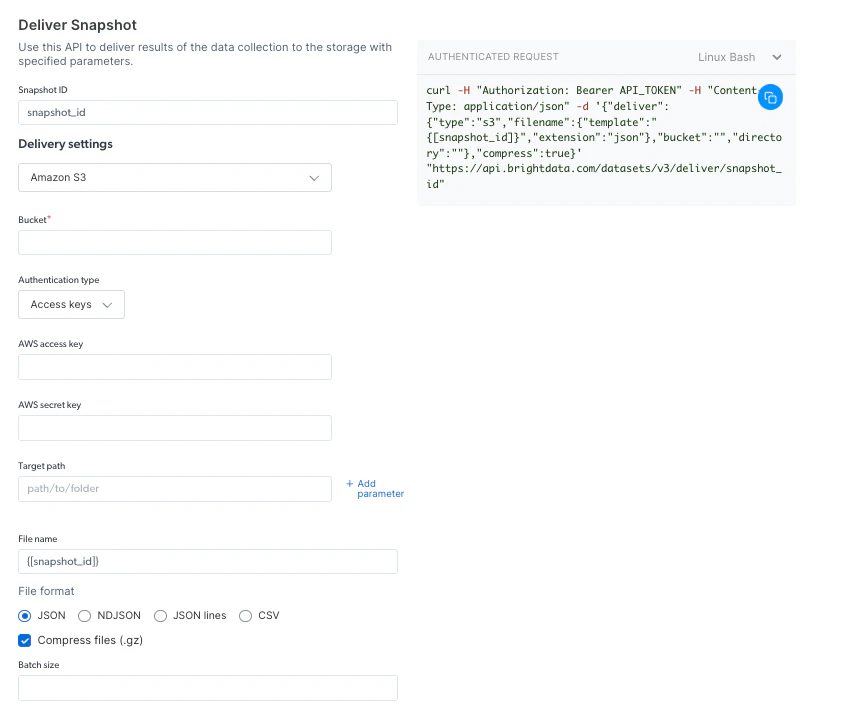
 ### Via Deliver to external storage:
1. 选择首选交付平台(S3、Google cloud、Snowflake 或其他可选平台)
2. 根据所选交付平台填写所需凭据
3. 选择首选文件格式(JSON、NDJSON、JSON lines、CSV)
4. 复制代码并运行。
### Via Deliver to external storage:
1. 选择首选交付平台(S3、Google cloud、Snowflake 或其他可选平台)
2. 根据所选交付平台填写所需凭据
3. 选择首选文件格式(JSON、NDJSON、JSON lines、CSV)
4. 复制代码并运行。
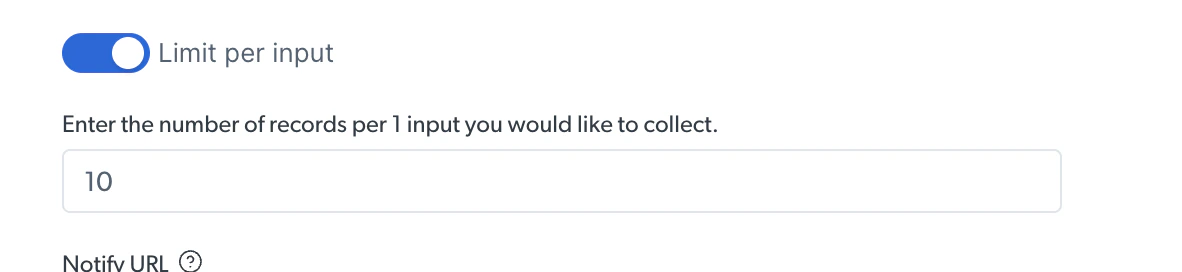
 ### 限制记录
在运行发现型 API 时,您可限制每个输入请求返回的结果数量
### 限制记录
在运行发现型 API 时,您可限制每个输入请求返回的结果数量
 在下方示例中,我们限制每个输入请求返回的结果数量为 10
 ## [管理 API](https://docs.brightdata.com/cn/scraping-automation/web-data-apis/web-scraper-api/management-apis)
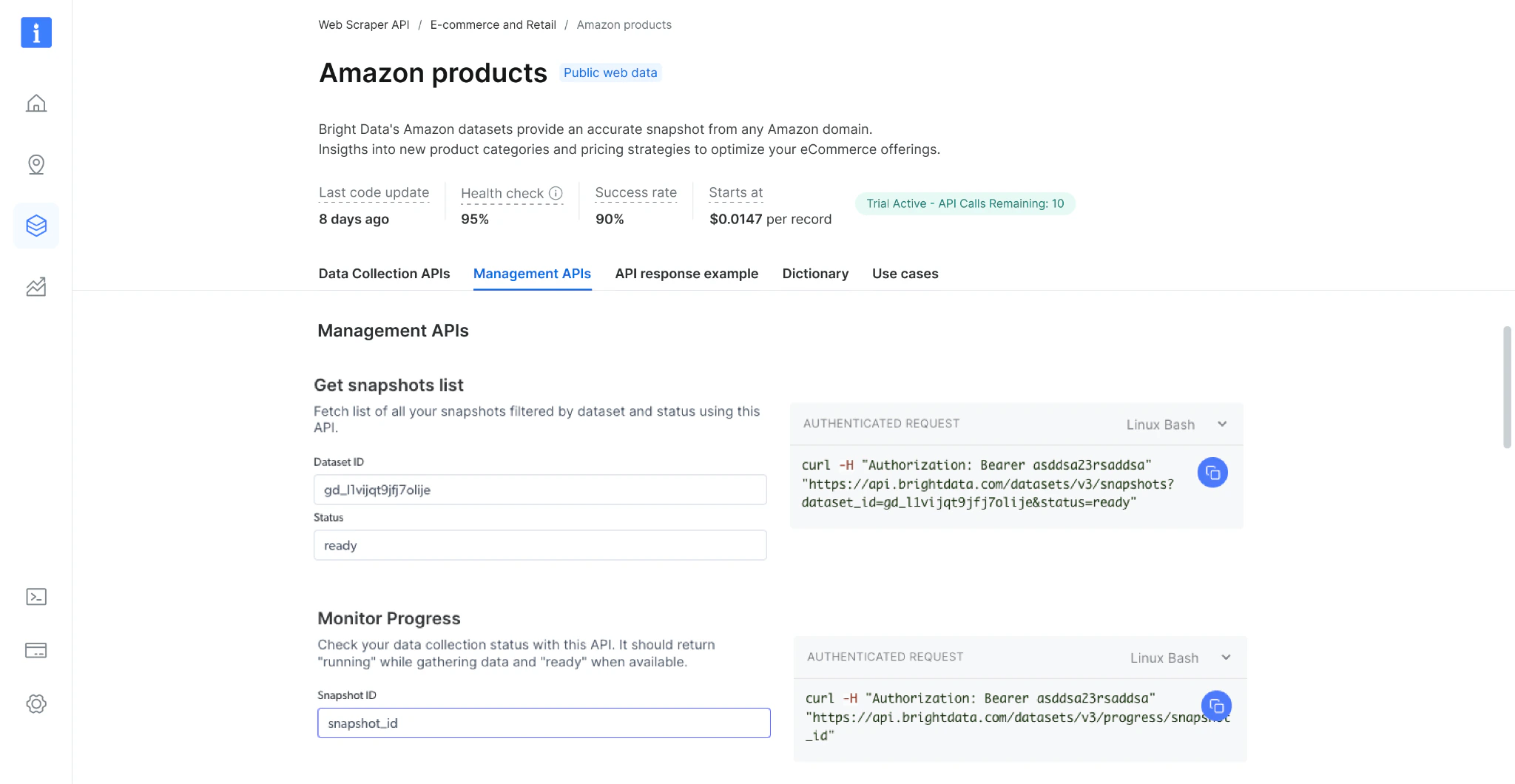 ### 获取快照列表
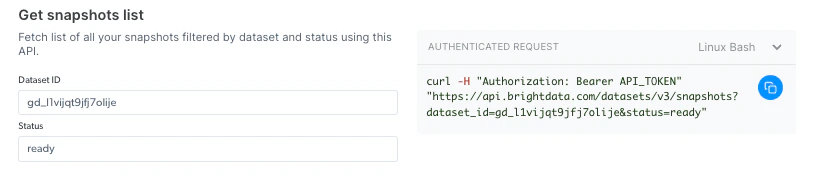
您可使用此 API 查看快照历史记录。 它可返回所有可用快照的列表,包括快照 ID、创建日期和状态。
### 获取快照列表
您可使用此 API 查看快照历史记录。 它可返回所有可用快照的列表,包括快照 ID、创建日期和状态。
 ### 监控进度
您可使用此 API 查看数据采集状态。当它返回 “collecting” 时,表明数据仍在采集中,当返回 “digesting” 时表明数据进入处理阶段,当返回 “ready” 时表明数据处理完毕且已可以交付。
### 监控进度
您可使用此 API 查看数据采集状态。当它返回 “collecting” 时,表明数据仍在采集中,当返回 “digesting” 时表明数据进入处理阶段,当返回 “ready” 时表明数据处理完毕且已可以交付。
 ## 系统限制
### 文件大小
| | |
| ---------- | --------------------------- |
| 输入 | 高达 1GB |
| Webhook 交付 | 高达 1GB |
| API 下载 | 最大 5GB(对于更大的文件,请使用 API 交付 ) |
| 交付 API | 无限制 |
## 系统限制
### 文件大小
| | |
| ---------- | --------------------------- |
| 输入 | 高达 1GB |
| Webhook 交付 | 高达 1GB |
| API 下载 | 最大 5GB(对于更大的文件,请使用 API 交付 ) |
| 交付 API | 无限制 |